3D configurators & room planners
Your products.
Their possibilities.
Let customers build the product they want, see it in their space and take the next step. We create interactive buying experiences that make complex choices feel simple.
ConfigureVisualiseBuy with confidence
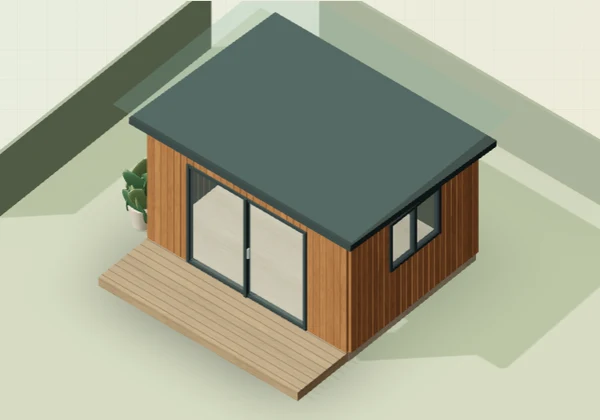
A showroom that goes everywhere
The moment
“what if” becomes
“that’s the one.”
“Can I get it in that finish?”
Let them change it and see for themselves.
Put the full range of choices in front of the customer.
“Will it work in my space?”
Give them a way to plan it.
Show dimensions, layouts and the details that help a decision.
“What do I send to get a price?”
The exact design they just made.
Carry the options and parts into the quote or order.
Built around your range
From a single finish
to the whole floor plan.
Choose the capabilities your customers need. We design, build and connect them to your business.
Product configuration
Every angle. Every option.
Real-time 3D, material swatches, dimensions and product variants. Make the details easy to explore.
Modular & set builders
Build it piece by piece.
Modular sofas, shelving, storage and made-to-order ranges. Rules keep each combination buildable.
Room & space planning
See how it fits.
Room dimensions, product placement, clearances and complete schemes. Help buyers plan with your range.
Augmented reality
Bring it into their world.
AR on supported devices, with correctly scaled models. Give customers another way to explore their choice.
Save, share & specify
Keep every decision.
Saved designs, shareable links, specification sheets and parts lists. Useful for households, designers and sales teams.
Commerce & operations
Make the next step easy.
Live prices, quote requests, basket handoff and trade workflows. Connect the design to the way you sell.
Your range. Your rules.
Made for products
with possibilities.
Furniture & interiors
Sofas, tables, lighting and complete room schemes.
Let customers compare finishes, assemble modules and see a collection together.
Send a messageMore than the front end
A great experience.
A useful next step.
The design should travel with the customer. We connect your configurator to the shop, sales team and systems that take it from interest to delivery.
- 01
Make it theirs
The customer picks a valid combination of sizes, materials and parts.
- 02
Keep the detail
A configuration reference, options, dimensions and price stay together.
- 03
Move it forward
Send it to a quote, basket or sales team with the specification attached.
- 04
Follow it through
Give staff and customers a clear view of approvals and progress.
Shopify · WooCommerce · Magento · Custom APIs
Integration is scoped around your platform, product data and access.
Quote calculators
Price the specification
Try a calculator that handles dimensions, finishes and quantities.
Trade tools
Make repeat buying easy
Explore variant selection, pack rules and trade ordering.
BearBytes Cloud
Keep the project moving
Try approvals, messages and project updates in our portal example.
From your range to launch
Start with one standout experience.
A focused first range. A clear route to launch. Room to grow once you know how customers use it.
Plan the first buildStep 1: Map the choices
Your range, the questions buyers ask, what can be made and what should happen after a design is finished.
Step 2: Make the experience
Prepare accurate models and materials, prototype the controls and review the first product together.
Step 3: Connect and test
Check product rules, prices and handoffs. Test on phones, with keyboards and across the devices your customers use.
Step 4: Launch and improve
Agree support and measure use: starts, saved designs, quote requests or basket handoffs. Improve from what you learn.
Your next move
Let’s put your
range in their hands.
Tell us what you sell and how customers should buy it. We’ll use that to discuss a focused first build, with the scope and price agreed before work starts.
Your selections are included with your enquiry. No need to write them again.
Before we build
Good questions.
Bring your product range, your ideas and the awkward bits. That’s where a useful conversation starts.
What exactly is a 3D configurator?
A tool on your website that lets someone change a product and see the result immediately. They can choose sizes, finishes and parts, see a price, then save their design, ask for a quote or buy it. We build the choices around what your business can actually supply.
Can you build all three: products, sets and room planners?
Yes. We build individual product configurators, modular builders, coordinated sets and room or space planners. We agree the right combination for your range. The working examples above show different parts of that experience; your build uses your products, dimensions and commercial rules.
Can customers see a product in their own room with AR?
Yes, we can include augmented reality for supported phones and browsers. That needs suitable models, accurate scale and device testing. AR is scoped into your project; the examples on this page use browser 3D and plan views.
Will it connect to our existing shop or business systems?
We can build connections to Shopify, WooCommerce, Magento and custom systems, including product data, customer pricing, quotes and order handoff. We check your platform, API access and how variants work before confirming the integration. The configurator can also start as a standalone quoting tool.
What if we do not have 3D models?
Start with what you have: product photography, drawings, dimensions or manufacturing CAD. We assess the assets, agree what needs modelling and prepare them for the web. Product dimensions and material samples still need your approval. AI can accelerate visual development; it does not replace checking the specification.
How much does it cost, and how long does it take?
We quote after reviewing your range, 3D assets, rules and integrations. You receive a written scope, delivery stages, price and support terms before committing. Starting with one useful product range lets you test the experience before extending it. This is custom project work, separate from our standard website package.
Can we use it for trade sales and showrooms too?
Yes. We can build guided showroom experiences, trade pricing, specification sheets, parts lists, saved projects and approval flows. Your team can pick up the same configuration that the customer created. Account permissions and production exports are agreed as part of the scope.
Next step
Let customers explore your products.
Bring your range and how customers should buy it. We will agree a focused first build, with the scope and price set before work starts.