Let customers choose it and price it before they call.
When a product has many options, customers often need help before they can ask for a price. A configurator or calculator lets them explore choices and send you a clear specification.
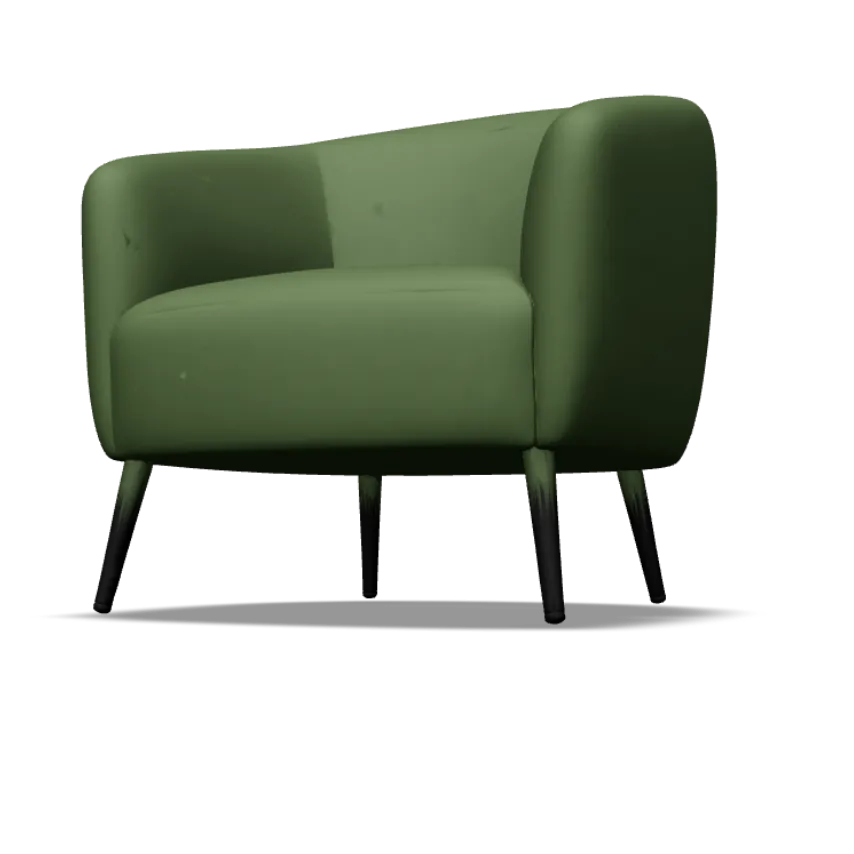
Two working demos: configure an example armchair, or price an example wall-panel job. Then tell us what yours would need, and it all comes with your message.
Illustrative demos: fictional products and example prices. Nothing is ordered or charged.
Illustrative demo · example prices
About yours
Your result
Try a demo above, or pick what yours would need, to build a short summary for the chat.
We only publish client work with permission. Ask us for relevant examples in a meeting. How we work
Illustrative example
Made up to show the kind of change. It is not a client story.
A panel supplier prices each job from width, height, quantity and finish. A calculator collects those details, explains its assumptions and shows an example estimate. The customer then sends the specification for review, and the supplier confirms the final price.
The scope is agreed after a meeting and written into your proposal before you commit. All final quotes follow a meeting.
Usually included
Option and rule mapping
Configurator, space planner or calculator interface
Transparent pricing logic with assumptions
Saved designs or specifications where agreed
Enquiry or order handoff
Proposed inclusions until your written proposal confirms them.
Not included, or needs checking
Creating 3D models or product photography unless scoped
Live stock or pricing feeds from other systems unless scoped
Taking payment, unless combined with an ecommerce scope
Ongoing operation, which is quoted separately from the initial build
Anything here can be scoped and quoted separately.
Quote required
Quoted after a meeting
The price depends on the number of options and rules, the assets needed (images or 3D), pricing complexity, saved designs and how enquiries or orders are handed off. Initial build and ongoing operation are quoted separately.
No fixed tiers: the price follows the agreed scope.
Scope, price and term in writing before you commit.
That is your choice. Many businesses show an example estimate and confirm the final price after review.
Do we need 3D models?
Not always. Photographs, swatches and clear diagrams work well for many products. We recommend what suits your range.
What happens if our prices change?
We agree how prices and rules are maintained, so you are not waiting on us for every change unless you want to.
Are the prices in the demos real?
No. The armchair and the wall panels are fictional products with example prices, there to show how a configurator or calculator behaves. Your own tool would use your options, rules and prices.
Can it sit on the website or shop we already have?
Often, depending on the platform. We check what yours allows before anything is scoped, and say plainly if a separate page or a move would work better.
What happens to what I try in the demos?
Your choices stay in this browser unless you send the form or book a chat, when a short summary travels with your message. Otherwise we only see, without your name, that the demo was used.
Tell us a little about your products or jobs. If you tried the demos above, a short summary comes with your message. A person reads every message and replies by email to arrange a chat.
Bring your range, your options and how you price today. We will say plainly what a configurator or calculator could do for you and how the work would be scoped and quoted.